Integrations

Connect the tools your firm already uses

Superlawyer connects with Microsoft 365 to keep documents, communication, calendars and identity moving with the matter. Xero accounting sync and Stripe payment links are coming soon.

  • Edit documents with Word and view OneDrive and SharePoint files by matter
  • Connect Outlook correspondence and appointments
  • Enable and manage integrations from the built-in marketplace

Microsoft 365

Documents, email, calendar and SSO

Marketplace

Enable and manage integrations inside Superlawyer

Coming soon

Xero, Stripe, Google Workspace and QuickBooks

Microsoft 365

Documents, email, calendars and sign-in, one connection

Every document produced can be edited in Superlawyer, downloaded as a Word file or PDF, or opened in Word for desktop or online. Documents saved in OneDrive or SharePoint can be viewed directly in Superlawyer against their matter - and OneDrive can back up your uploaded documents, so your firm keeps its own copies available even offline.

Email syncs two ways with Outlook, with client correspondence displayed automatically on the matter - visible only to authorised users. Appointments sync both ways with the Outlook calendar, and Microsoft Entra single sign-on gives administrators a central way to manage access.

  • Edit in Superlawyer, Word for desktop or Word Online
  • OneDrive and SharePoint documents visible by matter, with backup copies of uploads
  • Two-way email and calendar sync with Outlook, permission-controlled
  • Microsoft Entra single sign-on, with 100+ configurable permissions inside Superlawyer
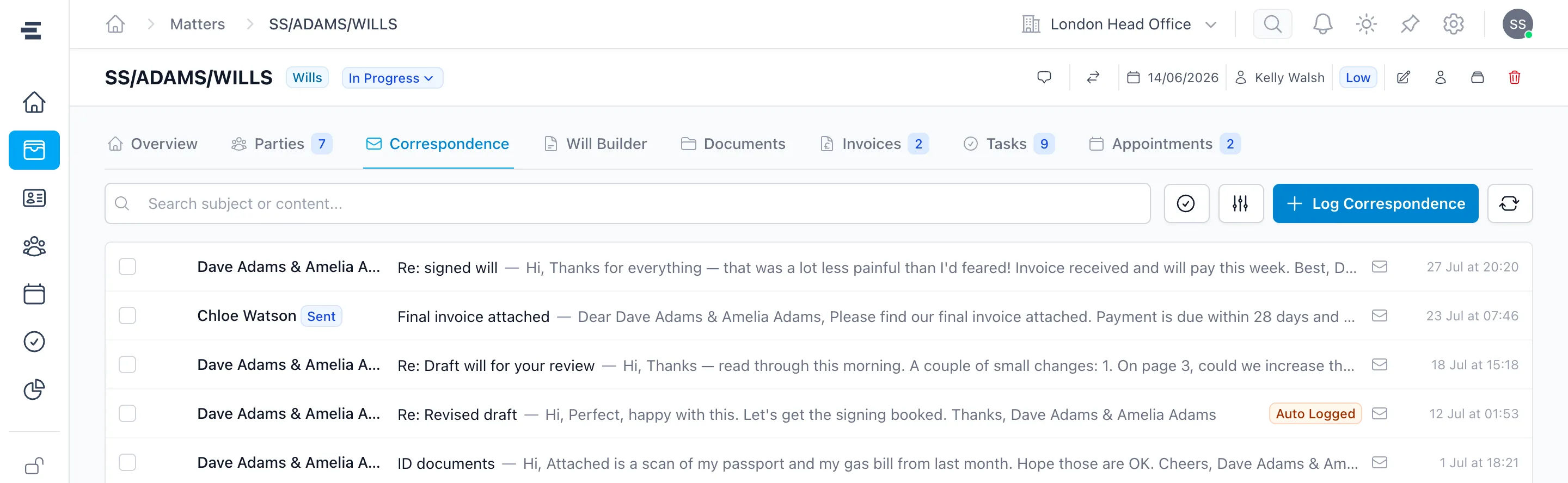
The Correspondence tab of a Superlawyer Will matter showing client emails logged automatically through the Outlook sync
Client email exchanged in Outlook, logged automatically on the matter
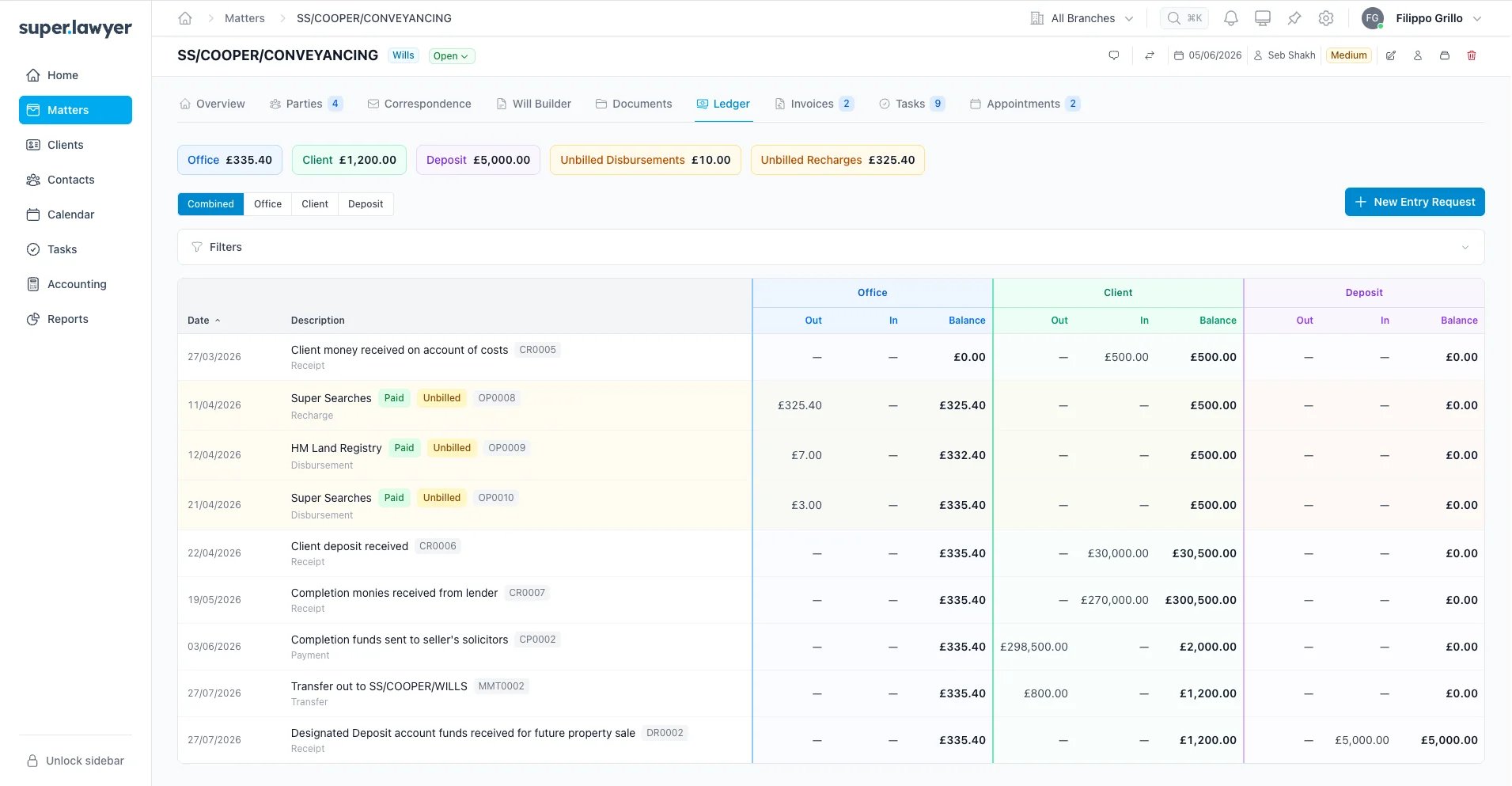
A matter ledger in Superlawyer showing the entries that will flow through to Xero
The matter ledger behind the entries that will flow through to Xero

Xero

Coming soon

Billing and ledger data into the wider accounts workflow

Superlawyer invoicing will push invoice data into Xero. Firms using the full legal accounting suite will also be able to push ledger entries into Xero to complete VAT reconciliation and Making Tax Digital filings.

  • Invoice data sent to Xero
  • Ledger entries for full legal accounting users
  • Support for VAT reconciliation and MTD filings

Third Party Marketplace

Next into the marketplace

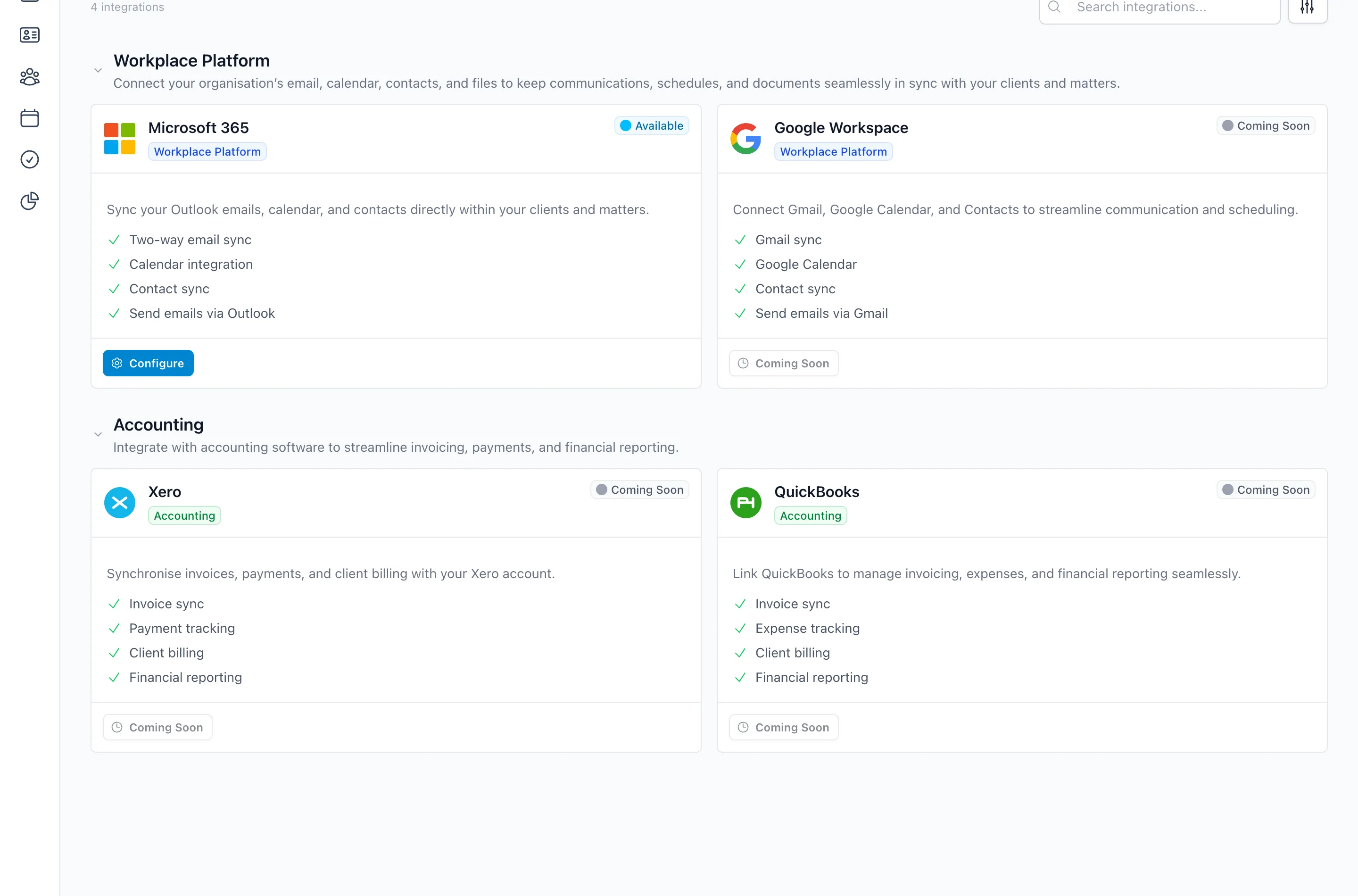
Integrations are enabled and managed from the Third Party Marketplace inside Superlawyer. Xero, Google Workspace and QuickBooks are next in - with Stripe pay-by-link invoicing, automated billing-status updates and more also on the way.

The Third Party Marketplace in Superlawyer settings, showing Microsoft 365 available to configure and Google Workspace, Xero and QuickBooks coming soon
The Third Party Marketplace in Superlawyer settings - connect once, manage everything in one place

How it connects

Connect once, stay in context

Authorise the service, then let documents, correspondence and accounting data move where they are needed.

  1. Connect securely

    Authorise the service and apply the access your team needs.

  2. Work in context

    Use documents, correspondence, calendars or financial data from the relevant matter.

  3. Keep systems aligned

    Let connected information move into the tools responsible for the next part of the process.

See Superlawyer in practice

Give your team a more connected way to work

Start with a quick guided demonstration, then explore Superlawyer in an assisted 14-day trial. No payment details are required.