Lasting power of attorney software

Manage LPA applications and track progress

Superlawyer's specialist LPA drafting App guides every matter from donor and attorney details through instructions and preferences, with automatic live form previews and every document connected.

  • Work through clear, LPA-specific sections inside the matter
  • Choose from a comprehensive library of instructions and preferences
  • Complete in minutes with easy mirroring between LPA types and partners
  • Instant checks flag missing details and conflicts as you draft
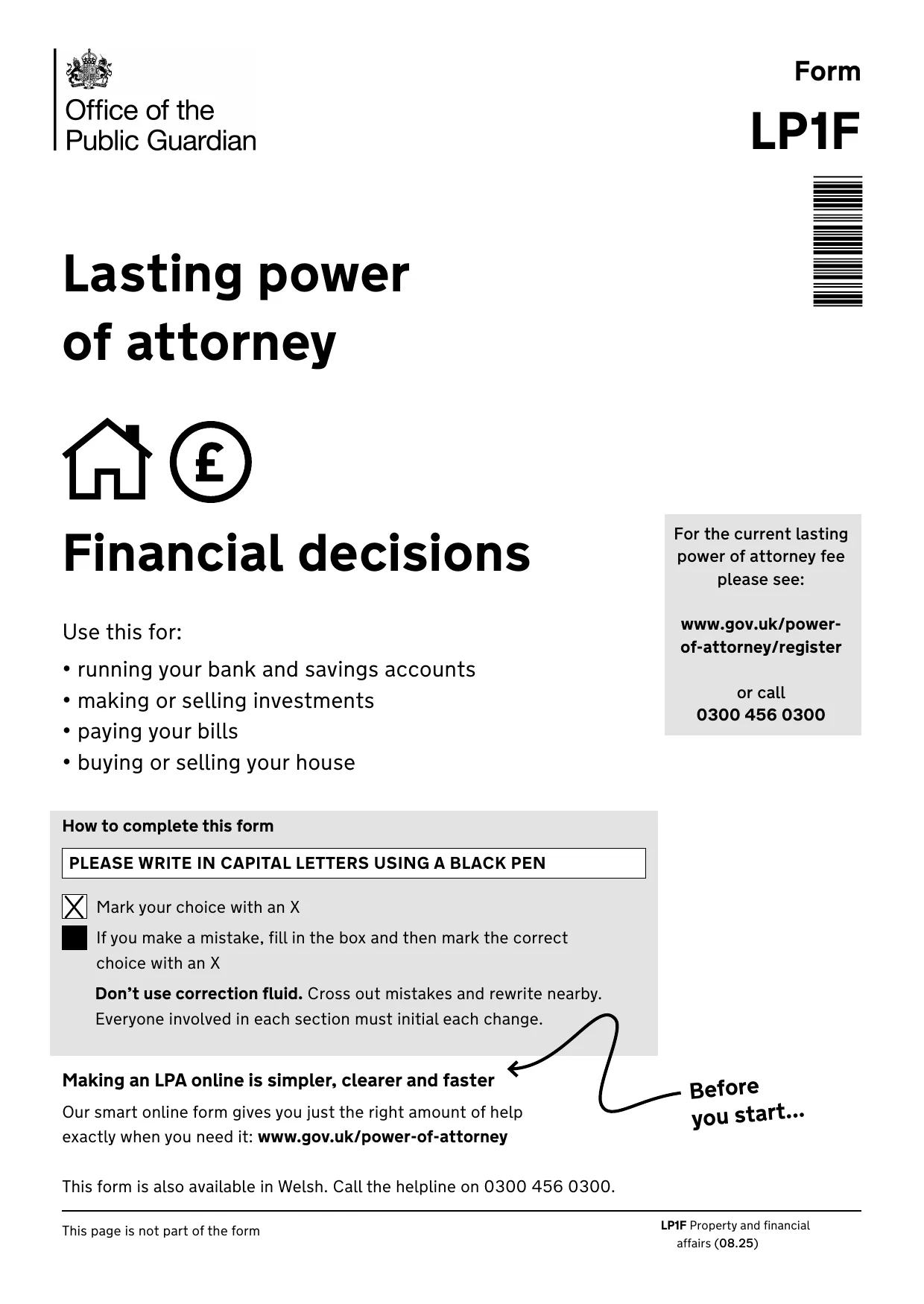
The cover page of the OPG LP1F Lasting Power of Attorney form
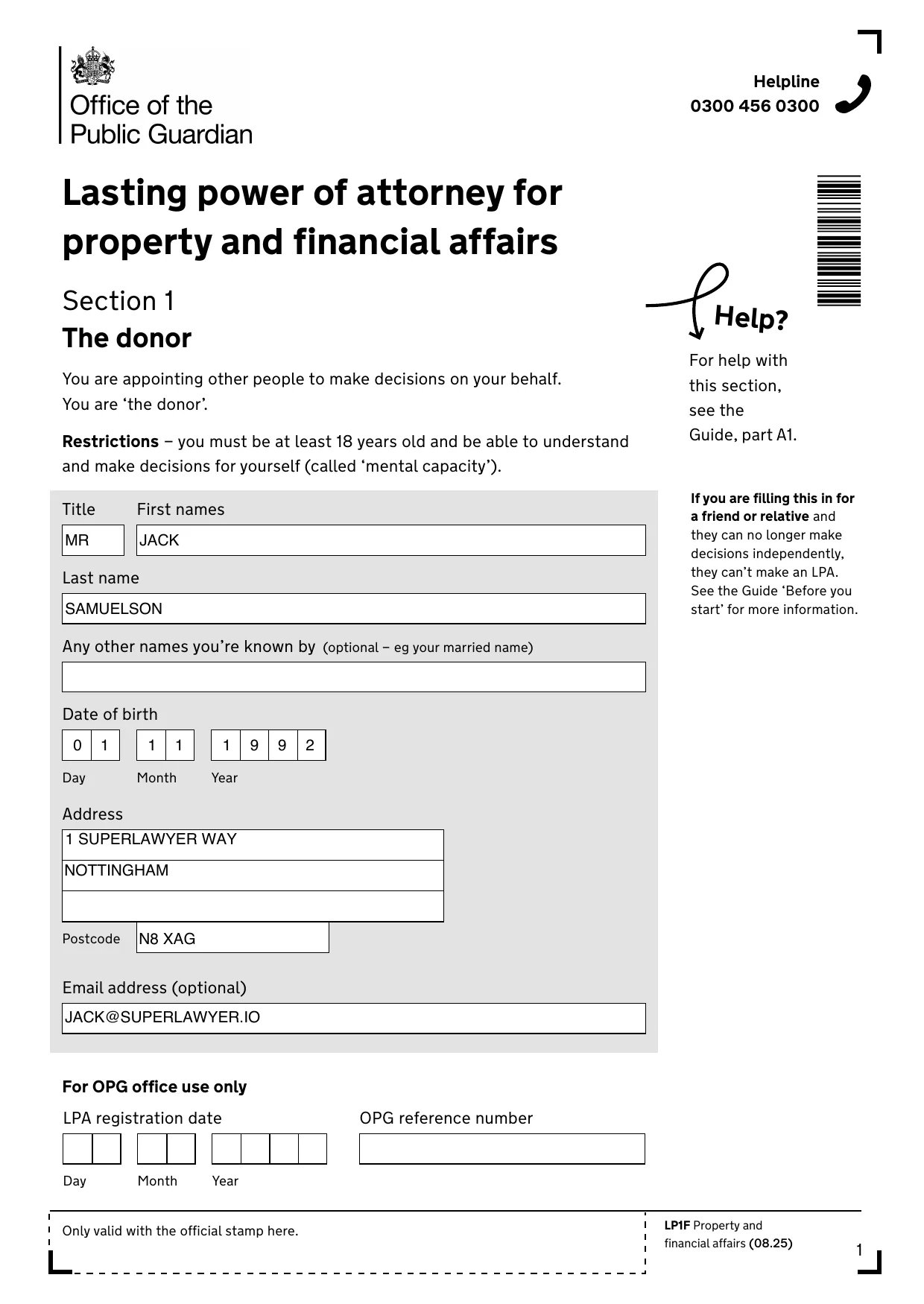
The LP1F donor section completed automatically by Superlawyer
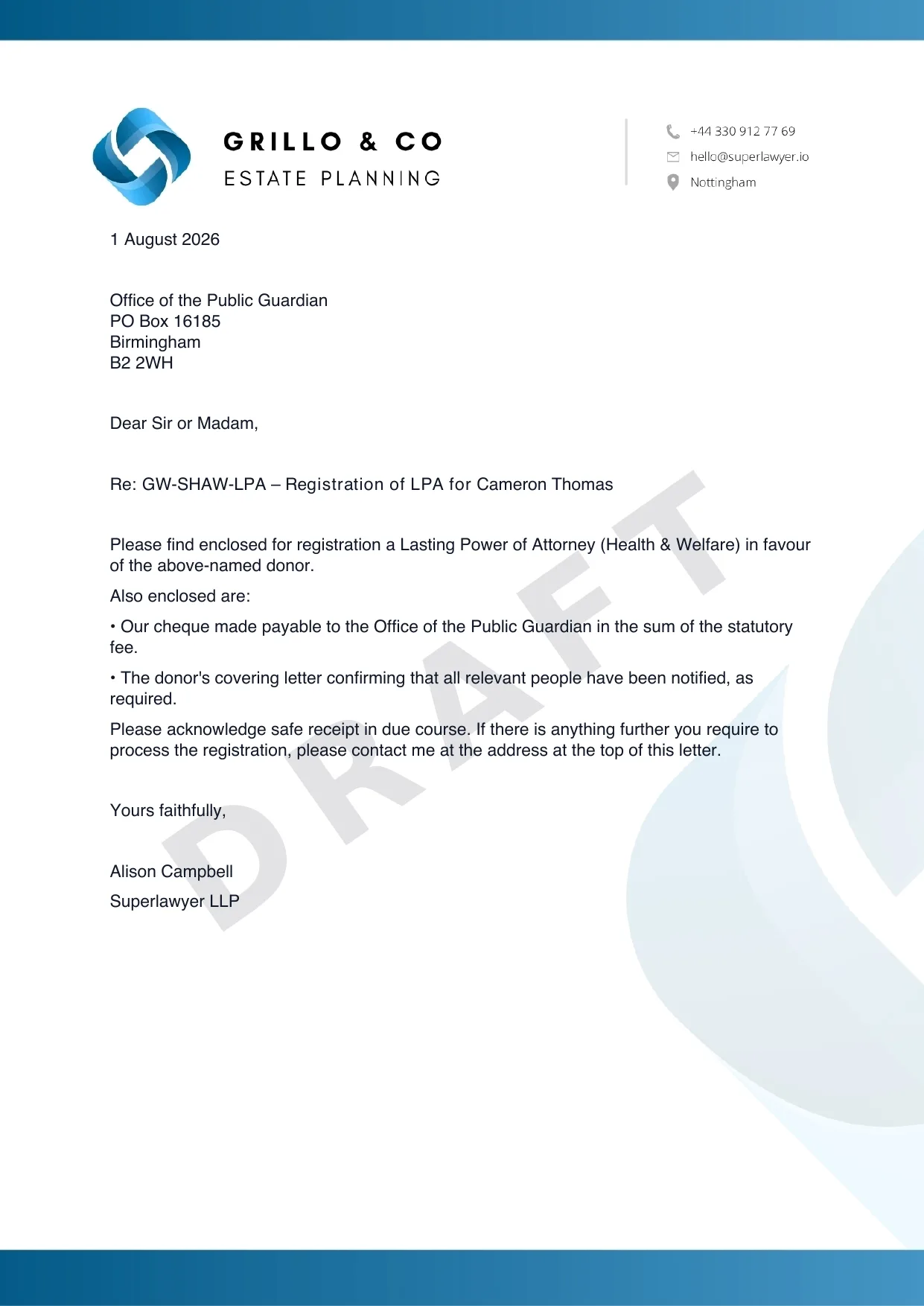
A client care letter on the firm letterhead, generated alongside the LPA

Guided App

Donors, attorneys and instructions captured in one guided journey

Comprehensive library

Use your own or one of our pre-loaded and fully customisable accompanying documents

Live preview

Watch the forms populate themselves as you fill instructions with instant error-checking

How it works in practice

Draft LPAs with every choice and document in view

Open the LPA App inside the matter and work through structured sections for donors, attorneys, certificate providers, people to notify, registration, witnessing and payment - while the document and your customisable letters draft alongside.

LPA App · TL/SAMUELSON/LPA

Property & Financial

Sections

  • Donor Complete
  • Attorneys Complete
  • Certificate provider Complete
  • Instructions & preferences In progress
  • People to notify
  • Witnessing
  • Registration & payment

3 of 7 sections complete

Live preview · LP1F

Saved

Lasting power of attorney · Section 1

The donor

Name
Mr Jack Samuelson
Date of birth
01 / 11 / 1992
Address
1 Superlawyer Way, Nottingham
The completed LP1F donor page produced from the answers in the LPA App
The same answers, on the official form

Inside the LPA App

Follow every LPA from instruction to registration

The LPA App sits inside the matter alongside the parties, correspondence, documents and tasks. Choose whether the donor is making a Health and Welfare LPA, a Property and Financial Affairs LPA or both, and keep the official form in view beside the questionnaire as each answer is completed.

  • Health and Welfare, Property and Financial Affairs or both from one App
  • The official form previews beside the questionnaire, with a tab for each LPA
  • A registration workflow tracks each stage from instructions taken to submission to the OPG
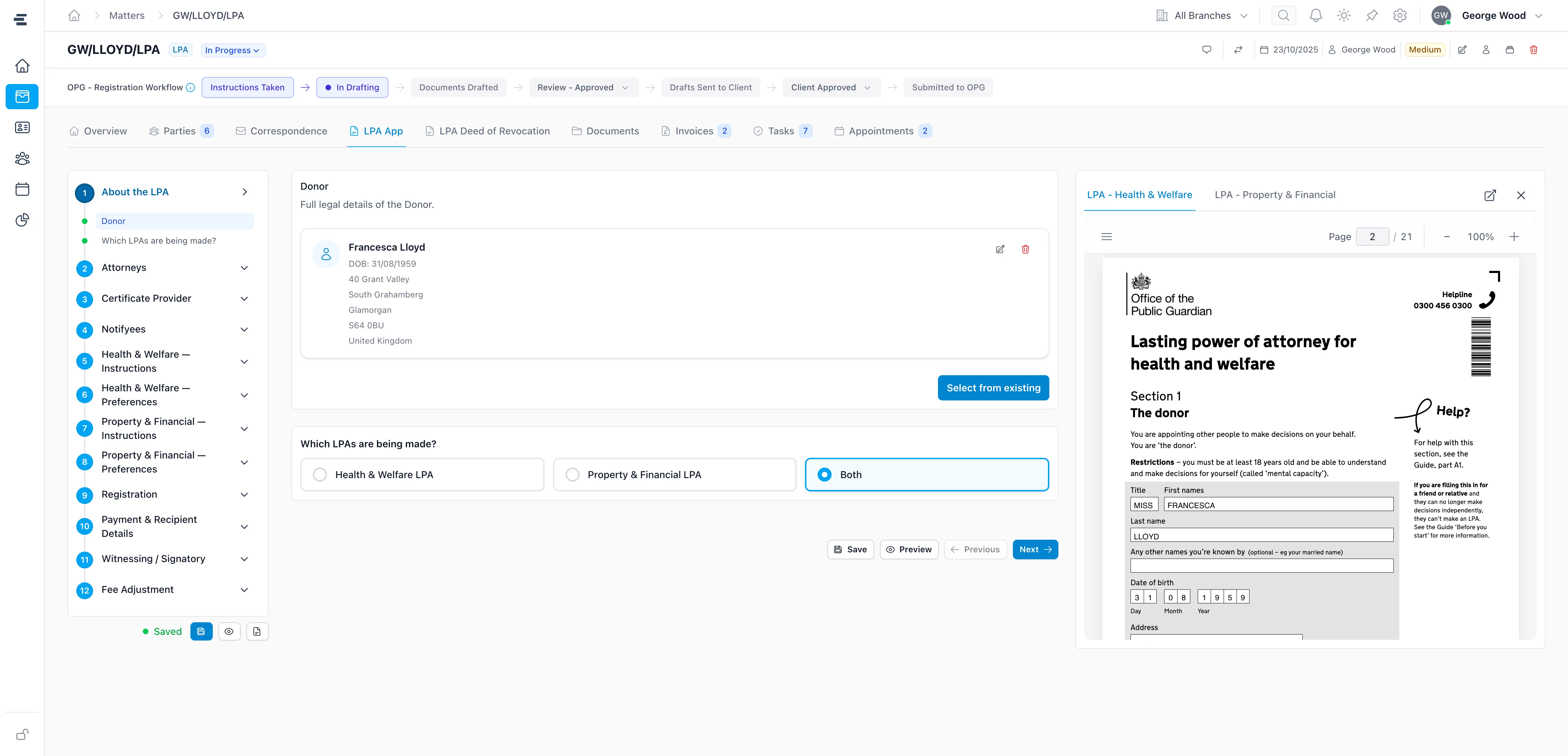
The Superlawyer LPA App showing guided sections, the donor's details and a live preview of the Health and Welfare LPA form, with the OPG registration workflow tracked above
The guided App, the official form and the registration workflow together on the matter

From instruction to LPA

A guided route to completed LPAs

Four short stages take a matter from first instruction to documents ready to sign.

  1. Create an LPA matter

    Start from a new or existing matter, with the client's details already captured.

  2. Open the LPA App

    Launch the specialist questionnaire from the matter, with connected people and details ready to use.

  3. Fill instructions

    Record the people involved, then choose instructions and preferences from the comprehensive libraries.

  4. Preview and generate

    See the forms update as answers are completed, then create the connected LPA documents.

Frequently asked questions

The practical details

Clear answers to the questions private-client practices commonly ask before taking the next step.

What is a Superlawyer LPA drafting App?

It is a guided questionnaire within the LPA matter. It keeps the people, decisions, instructions, preferences and documents connected, with a comprehensive choice library and live document preview built into the drafting journey.

How does the live LPA preview work?

On larger screens, practitioners can open the relevant Health and Welfare or Property and Financial Affairs form beside the questionnaire. The form updates automatically when a question is completed, so the effect of each answer is visible without leaving the page.

Can one App produce mirror LPAs for a couple?

Yes. Where a couple's instructions mirror each other, connected answers from one App can create up to four documents: two mirror Health and Welfare LPAs and two mirror Property and Financial Affairs LPAs.

See Superlawyer in practice

Give your team a more connected way to work

Start with a quick guided demonstration, then explore Superlawyer in an assisted 14-day trial. No payment details are required.